
What is it
What the associate tax calculator is
The associate tax calculator is an online tool for self-employed dental associates. It brings your income from every practice into one place, along with any other income and your expenses.
As you add figures through the year, it works out your estimated Income Tax and Class 4 National Insurance and tells you how much to put aside each month. You can see your tax position at any point in the year, not just when your return is due.
It is built by our dental accountants and sits alongside your Samera accounts and tax service. At year end, your figures are already organised for your accountant.
Why associates lose track of their tax
As a self-employed associate, no tax or National Insurance is taken from your pay. Each practice sends its own payment schedule, at its own time and in its own format. Nobody adds it up for you.
That leads to the same problems every year:
- no single view of what you have earned across all your practices
- no running estimate of your tax bill, so January’s payment comes as a surprise
- a year-end scramble to find schedules, statements and receipts
- expenses forgotten because they were not recorded at the time
- tax planning left too late, after the tax year has closed
For more on how associate tax works, see our guide to taxes for dental associates.
What the calculator shows you
The calculator has four areas: your profile, a dashboard, your income and expenses, and your documents.
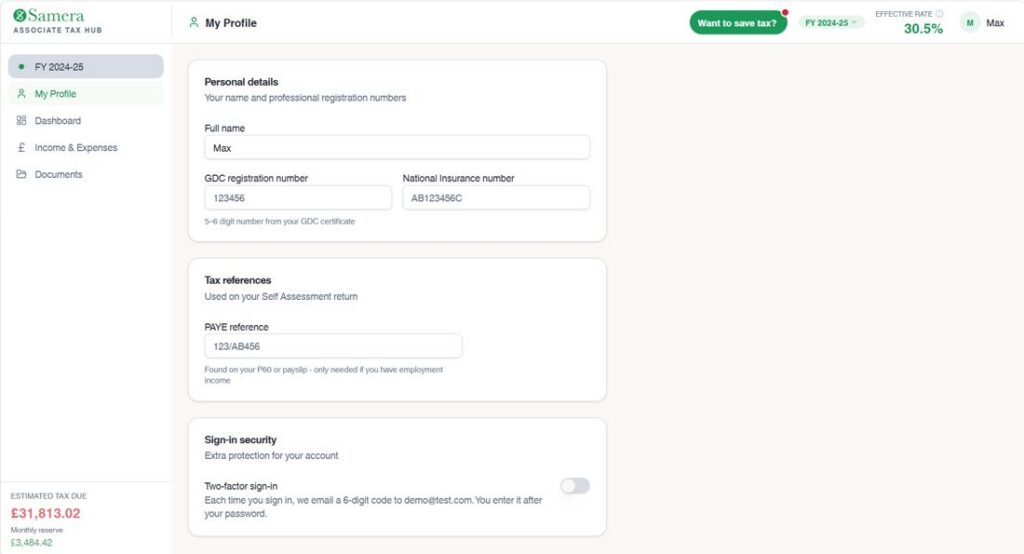
Your profile
Keep your details in one place, including your name, GDC number, National Insurance number and PAYE reference. You can also turn on two-factor sign-in to add an extra layer of security to your account.
Dashboard
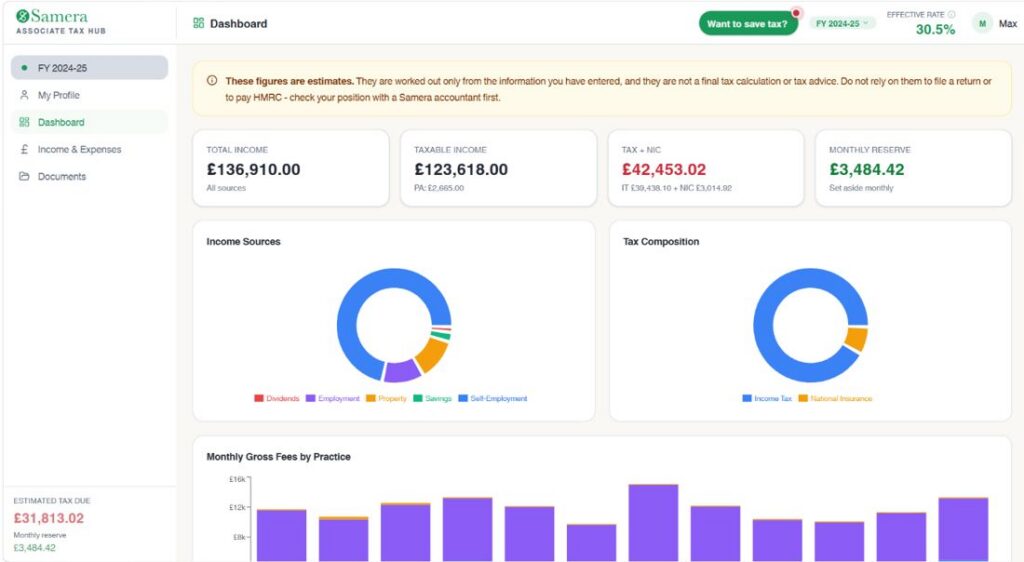
Four figures at the top update as you add income and expenses:
- total income from all sources
- taxable income after your Personal Allowance
- estimated Income Tax and Class 4 National Insurance
- how much to set aside each month
It also shows your effective tax rate (the average across all your income) and when your tax payments are due, including payments on account, so you know what to pay and when. Charts break down where your income comes from, how your tax is made up, and your monthly fees from each practice.
Self-employment income and expenses
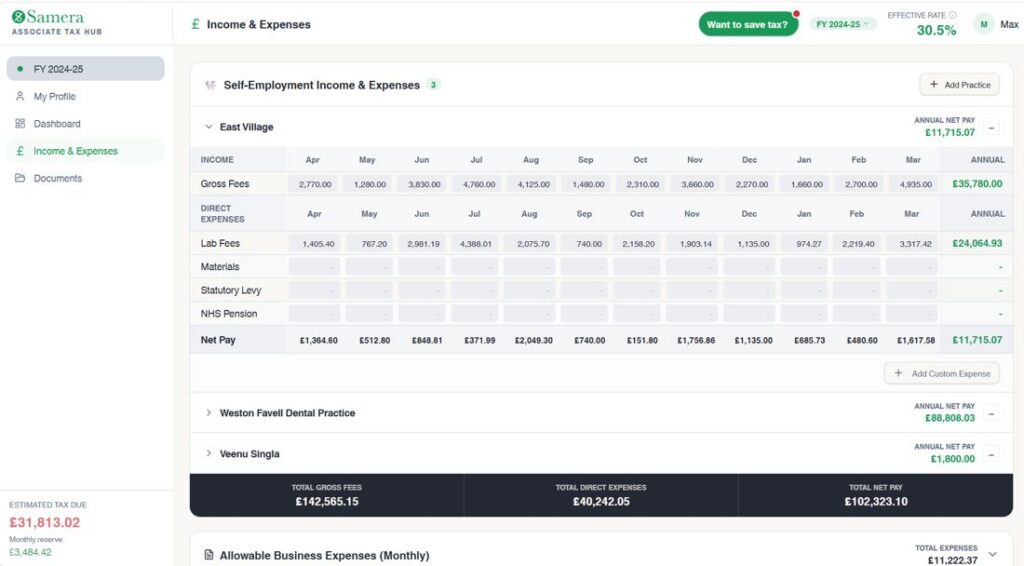
Each practice you work at gets its own row. Enter your gross fees and direct expenses month by month, such as lab fees and materials. The calculator totals each practice and your combined income. A chart shows which practice earns you the most and how your income changes through the year.
If the practice already uses Clever Practice for associate pay, your income updates automatically. If not, you enter your payment schedules yourself.
Allowable business expenses
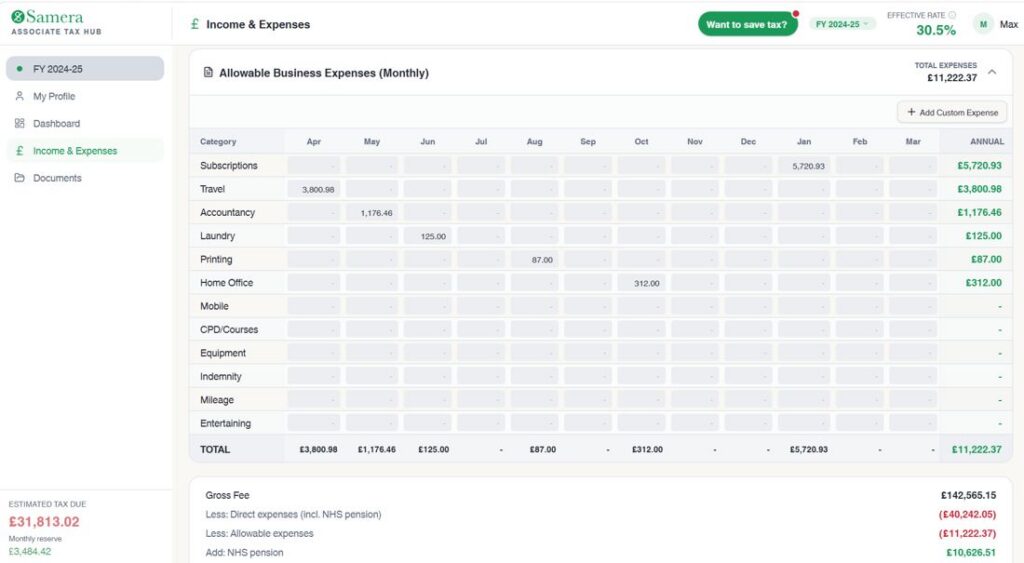
Log costs as they happen so nothing is missed at year end. Fields cover professional subscriptions, indemnity, CPD, travel and mileage, equipment, accountancy fees, phone and use of home. Every expense you log lowers your estimated taxable income straight away.
See our dental associate expenses guide for what you can claim.
Other income
Many associates have income outside dentistry, and it all affects your tax band. You can add:
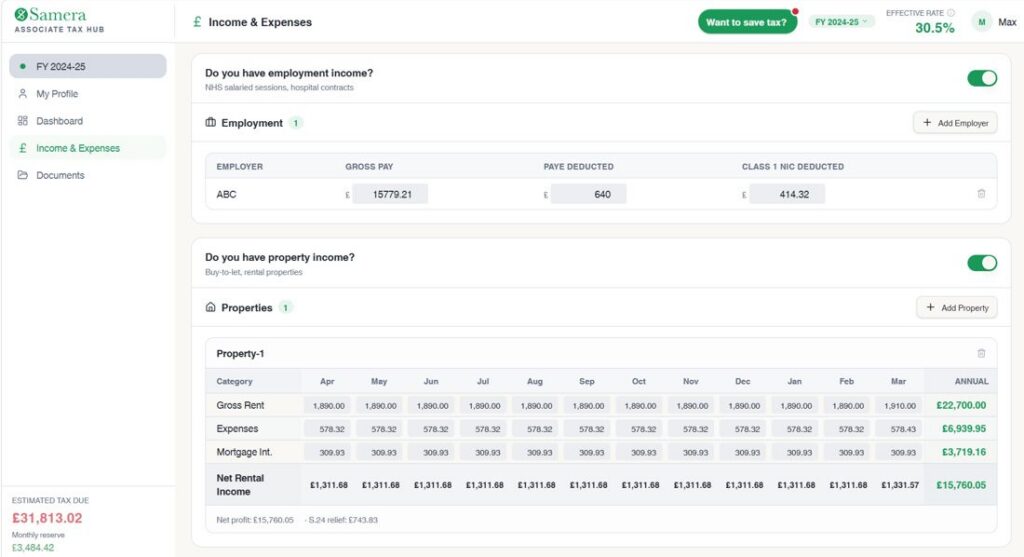
- employment income, such as a salaried NHS or hospital post, with the tax already paid through PAYE
- rental income, with allowable costs and mortgage interest relief worked out for you
- savings interest, with your Personal Savings Allowance applied
- dividends
Documents
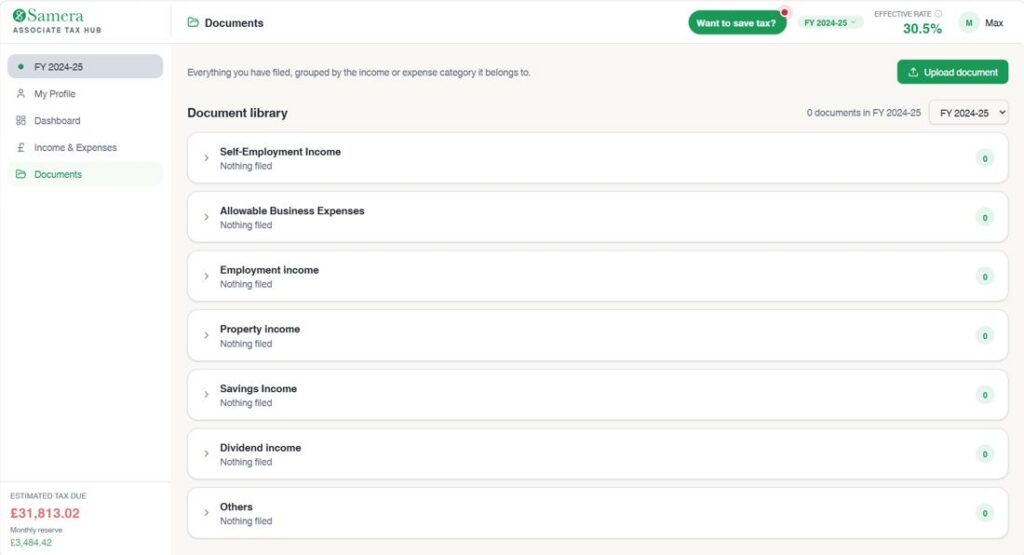
Upload your tax documents and keep them in one place. You can store payment schedules, receipts, P60s, bank statements, pension statements, investment documents and dividend vouchers.
Documents are organised by tax year, by type and by practice, so you can find what you need. Your Samera accountant can see everything you upload, so there is less to send over at
Book a call with a tax expert
Use the “Want to save tax?” button at the top of any screen to book a call with our tax team in one click.
Why Samera
How it works with your accounts
1. Set up
We set up your account and add the practices you work at.
2. Add as you go
Income syncs from Clever Practice or you enter it. You log expenses during the year.
3. Plan before year end
Use the estimate to set money aside and talk to your accountant about pensions or payments on account.
4. File
Your figures are already organised, so your Samera accountant can prepare your return with less to chase.
Cost
Pricing
Free
No charge for the calculator. It works alongside your Samera accounts and tax service.
What the calculator does not do
The figures are estimates based on what you enter. They are not tax advice, and the calculator does not file your return or make payments to HMRC. Your Samera accountant reviews your full position and prepares your return.
Meet the team
Who you will work with
Whether you want to manage associate pay yourself with Clever Practice or you want us to do it for you, our team can help.

Director of Operations – Accountancy and Tax
Supports the accounting, reporting, tax and financial management side of growing practices and groups.
- Managed associate pay for dental practices and groups
- Accounts and tax support for dental practice owners
- Financial processes and reporting for growing dental businesses

Dental Accountant
Charles has strong expertise in client management and communication, ensuring accurate financial reporting and compliance, and also manages the internal accounting function.
- Dental Accountancy and Tax for Dental Associates
- Making Tax Digital Expert
If you’d prefer to send a message rather than book a call:
- Email: info@samera.co.uk
- Phone: (+44) 20 7100 8788
- WhatsApp: Message us on WhatsApp
Client reviews
What clients say about working with Samera
Samera have been my accountant for 7 years and have continued to provide me with accurate accounts and timely submissions. Their digital workflow eases the management of receipts and filing. I have found them to be supportive and knowledgeable particularly during the recent crisis.
Patrick Abbott – 5 Stars
Arun, Natasha and all the team at Samera have provided outstanding service to me over a number of years – they are experts and are friendly and easy to deal with – would thoroughly recommend.
Peter Grimes – 5 Stars
Huge thanks to Natasha, Aditi, Arun, Karyn, and the entire Samera team for their outstanding support and guidance. Their professionalism, responsiveness, and deep expertise is a great support for our business. I truly felt supported every step of the way. Highly recommended!
Rajvansh Juneja – 5 Stars
Arun Mehra and his friendly team have both helped and advised me in all matters of accountancy, raising finance, payroll, furlough support and general business advice. The whole team’s collective vast experience and knowledge in all business matters and dentistry is invaluable when you are running any type or size of business.
Antimos Ouzounoglou- 5 Stars
Common questions
Questions about the dental associate tax calculator
Is the calculator free?
Yes. There is no charge for the calculator.
Does it file my tax return?
No. It gives you an estimate during the year. Your Samera accountant prepares and submits your Self Assessment return.
Does it read the figures from my documents?
No. Documents are stored for you and your accountant. You enter your income and expenses in the calculator, or your income syncs from Clever Practice.
Do I have to enter my income by hand?
Not if your practice uses Clever Practice for associate pay. Your income updates automatically. Otherwise you enter your payment schedules.
Can it include income from outside dentistry?
Yes. You can add employment, rental, savings and dividend income.
How accurate is the estimate?
It is only as accurate as the figures you enter. It is an estimate, not a final calculation.
Related services
More support for dental associates
Dental accountants
Accounts and tax for dentists at every stage.
Accountants for dental associates
We help dental associates manage their accounts and tax, from Self Assessment and allowable expenses to NHS pension considerations, tax planning and advice on whether a limited company makes sense.
Tax planning for dentists
Proactive tax planning for dental practice owners and groups, covering profit extraction, pensions, business structures, acquisitions and future exits.
Making Tax Digital
Mandatory for most self-employed dentists from April 2026. Specialist dental accountants and Xero Partners helping you comply.
Related articles
Read our guides to accounts and pay for dental practices
Taxes for dental associates
A practical guide to associate pay calculations, including percentage splits, deductions, NHS and private examples, and the monthly process.
Dentist and dental associate expenses guide
See how associate pay automation can reduce spreadsheet work, improve consistency and make monthly calculations easier to manage.
How dentists can reduce tax legitimately
Understand how dental payroll works, including PAYE, pensions, staff pay and the key responsibilities practice owners need to manage.
See your tax position before January
Book a free 30-minute call to find out how the calculator works with your accounts.